Approximately Up Guides
From your first garage build to achievements and deep-space routes — every tutorial in one place.
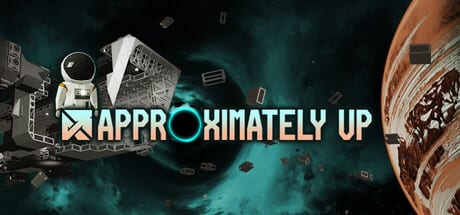
Welcome to the Approximately Up guides hub. This Steam space sim lets you bolt together modular ships, wire logic circuits, and explore a multi-planet system with up to four friends in online co-op. The full game launched August 6, 2026, with post-launch patches already shipping (see Patch Notes). Whether you are launching from Earth for the first time or hunting Steam achievements, these guides walk you through the systems that matter most.
Start here if you are new
If you have never opened the garage or held R to enter fly mode, begin with the Getting Started guide. It covers the Earth tutorial loop, switching between garage edit mode (G) and flight (R), and the first objectives that teach you how parts connect. Pair it with the Controls reference — including hotbar rebinds and seated mouse invert from patches 1.0.005–1.0.008 — so you are not guessing which key clones a block versus which key toggles fly mode.
Building and wiring your ship
Ship construction is the heart of Approximately Up. The Build Your First Ship walkthrough explains frames, power routers, lifting thrusters, and joysticks — the minimum viable stack for leaving the pad. Once you can lift off, rotation becomes the next bottleneck. Read RCS Thrusters Setup to learn why you need six maneuvering thrusters (two per axis), how the wireless RCS controller pairs with them, and how to assign pitch, yaw, and roll on each thruster knob.
Power and data are easy to get wrong on your first dozen rebuilds. The Power and Data Routing guide covers cables, routers, branch mistakes, Fuse Box recovery after patch 1.0.006, and the wiring patterns that keep thrusters, joysticks, and logic blocks talking to each other. If your ship spins uncontrollably or thrusters never fire, check routing before you rebuild the whole frame.
Flight, landing, and automation
Leaving Earth is only half the job. The Moon Landing Guide explains transfer burns, radar handoff, and a critical fact: the Moon has an atmosphere. That changes which thrusters you need — electric thrusters for vacuum segments and atmospheric thrusters when you are low and slow over the surface.
For stable hover without babysitting levers, see Hover Logic Circuits. That tutorial builds a PD controller from a velocity meter, accumulator, remapper, and multiplier so your ship holds altitude automatically. Retest OR-gate automation after patch 1.0.005. It pairs well with the Thrust Calculator when you are tuning hover thrust against total mass.
Missions, achievements, and progression
Objectives unlock parts, cash, and new destinations. The Missions Walkthrough covers ice cream delivery to Moonstep, lost package retrieval, and how package dimensions affect cargo bay design. Track campaign breadth with the Objectives Completion % added in patch 1.0.006, then chase the full Steam Achievements list — including No Rewinds, Golden Thruster, and submarine depth challenges.
Related wiki sections
- Tier List — ranking thrusters, batteries, and logic parts by usefulness.
- Planets Map — overview of Earth, the Moon, Aundara, Outcast, and farther worlds.
- Patch Notes — 1.0.005–1.0.008 QoL and bug fixes.
- Launch guide — price, intro sale, languages, demo sunset history.
- Co-op Guide — splitting garage work, pilot roles, and four-player online tips.
Recommended learning order
- Getting Started and Controls
- Build Your First Ship and Power and Data Routing
- RCS Thrusters Setup and Hover Logic
- Moon Landing Guide and Missions Walkthrough
- Radar and Navigation and Time Rewind
- Blueprints and Achievements
PC navigation shows the top guides in the dropdown and links View all back here when the list grows past eight entries — use this hub as the complete index.
Rebuilds are part of the game — expect to crash, laugh, and refine. Bookmark the guide you need before each flight; small wiring fixes often beat full redesigns.
Frequently Asked Questions
Quick answers to the most common questions.
Which guide should I read first?
Start with Getting Started, then Controls. Build Your First Ship and Power and Data Routing come next before you attempt the Moon or mission guides.
Do these guides cover the demo or full game?
They target the full Steam release that launched August 6, 2026. Demo-only pages remain as historical context under Updates.
How many players does co-op support?
Up to four players online. See the Co-op Guide for role splits — one builder in garage mode while others test fly is a common workflow.
Why does my ship spin or drift in fly mode?
Usually missing RCS thrusters, wrong axis knobs, or broken data routing. Check RCS Thrusters Setup and Power and Data Routing before rebuilding your frame.
Where are Steam achievements documented?
See the Achievements guide for all 22 unlocks, including Golden Thruster and submarine depth challenges.